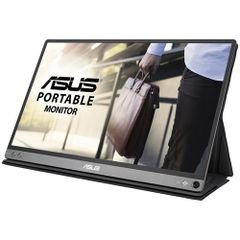


Experience premium visual performance with the MSI PRO MP273A 27-inch FHD monitor, expertly designed for home offices, professionals, and business users seeking superior clarity and comfort. Combining modern aesthetics with advanced
technical
specifications, this monitor delivers crisp visuals, vibrant colors, and smooth performance for various applications.
From the renowned MSI brand, model 9S6-3PB4CH-070, the PRO MP273A
features a sleek, contemporary design that complements any environment, whether it's an office, meeting room, or your home. The generous 27-inch IPS panel and Full HD (1920×1080) resolution allow you to enjoy detailed imagery, perfect for document editing, graphic design, streaming movies, or video conferencing.
technical
specifications include a rapid 100Hz refresh rate for fluid image transitions, Adaptive Sync support to minimize screen tearing and stuttering during gaming or video playback, and anti-glare technology for comfortable viewing even in brightly lit rooms. With a wide 178° viewing angle, colors remain consistent from any perspective, enhancing collaborative work and presentations.
Highlighted
features
- 27-inch IPS panel, 178° wide viewing angle (horizontal/vertical)
- sRGB coverage of 106% (CIE 1976) and 16.7 million display colors for lifelike visuals
- Multiple video connectivity options: HDMI 1.4b, DisplayPort 1.2a, VGA (D-Sub) for effortless device integration
- Built-in dual 3W speakers delivering clear audio for calls, streaming, or casual entertainment
- Adjustable tilt from -5° to 20° for personalized viewing comfort
- Lightweight at only 3.9 kg (8.6 lbs), making setup and relocation simple
Versatile in its applications, the MSI PRO MP273A excels in office work, remote learning, graphic design, gaming, movie watching, and virtual meetings, thanks to its superior image and sound quality. It's suitable for professional environments, home offices, study rooms, or even smart kitchens requiring a reliable display.
Benefit from seamless connectivity, integrated audio, and flexible adjustment, ensuring a comfortable and comprehensive user experience every day. The monitor's multiple ports and ergonomic design make it an ideal choice for multitasking and productivity.
Care instructions
- Clean the screen regularly with a soft, dry cloth
- Avoid harsh chemicals and abrasive materials
- Keep away from excessive heat or humidity